The Alaska Department of Commerce, Community, and Economic Development provides a corporations database to look up company information. This is a free tool for public use to aid the public, as well as providing an easy reference for entities. The tool can be searched by the entity name and number.
Business Name Availability Check
State of Alaska

Business Entity Search
Step 1. Go to the Alaska Search Corporations Database Page Homepage
Access the Alaska Secretary of State site in order to use their corporation search feature.
Step 2. Setting the Search Type
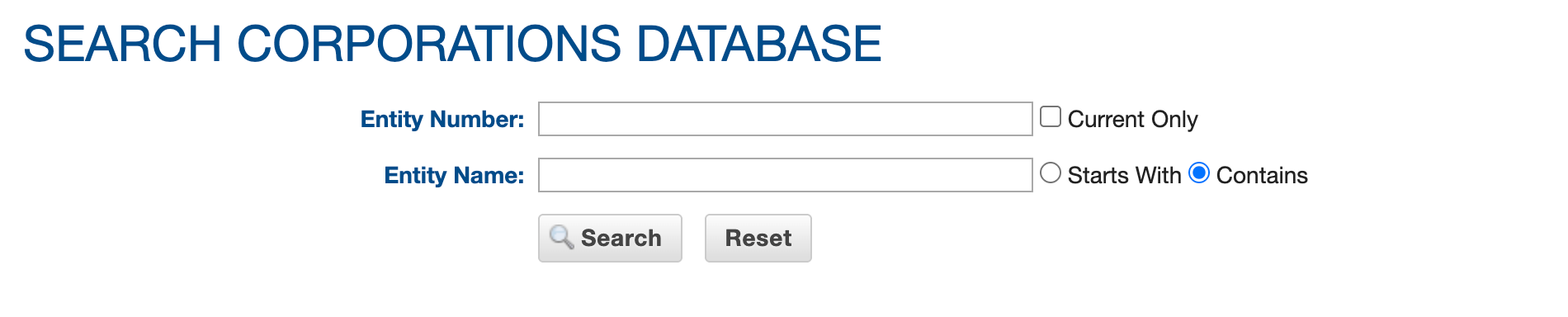
Here, you can query the database for entities in Alaska by providing at least one of the text boxes with a term or name as search criteria. For this session, select “Entity Name.”
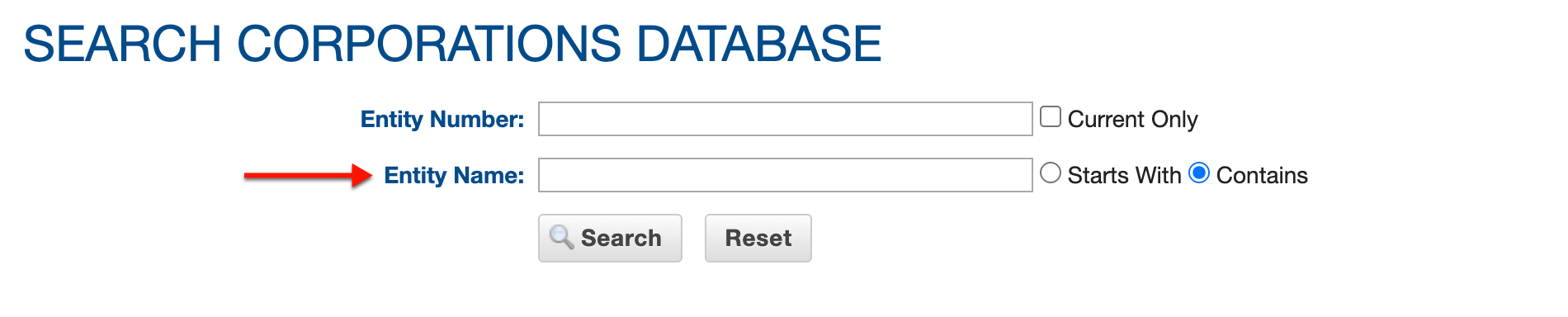
Step 3. Search For Currently Active Entities
Notice the first checkbox. This sets the search to display entities that are active and will apply to the search criteria (regardless of the type). Check this box to exclude defunct entities.
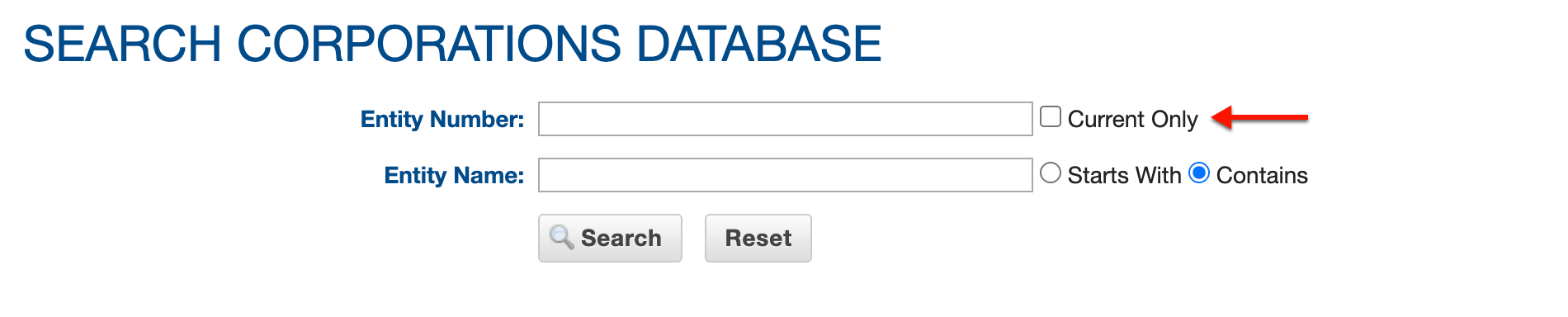
Step 4. Set the Alaska Query Search Method
Continue to the next query request. Select one of the radio button choices in order to have the query look for the search phrase at the beginning of or anywhere in an entity name.
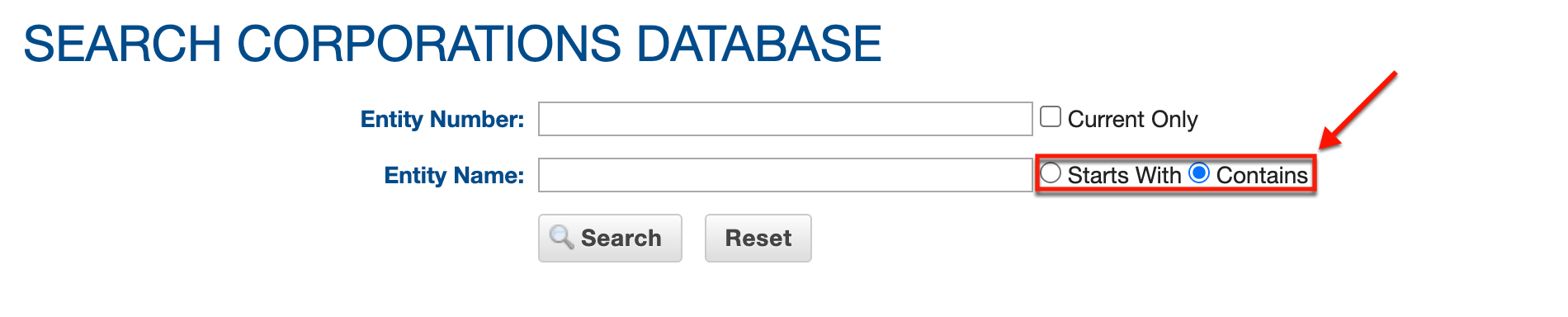
Step 5. Initiate the Search
Keep in mind, this database contains all entities on file; therefore, a general search phrase may yield significant results. When ready, choose “Search.”
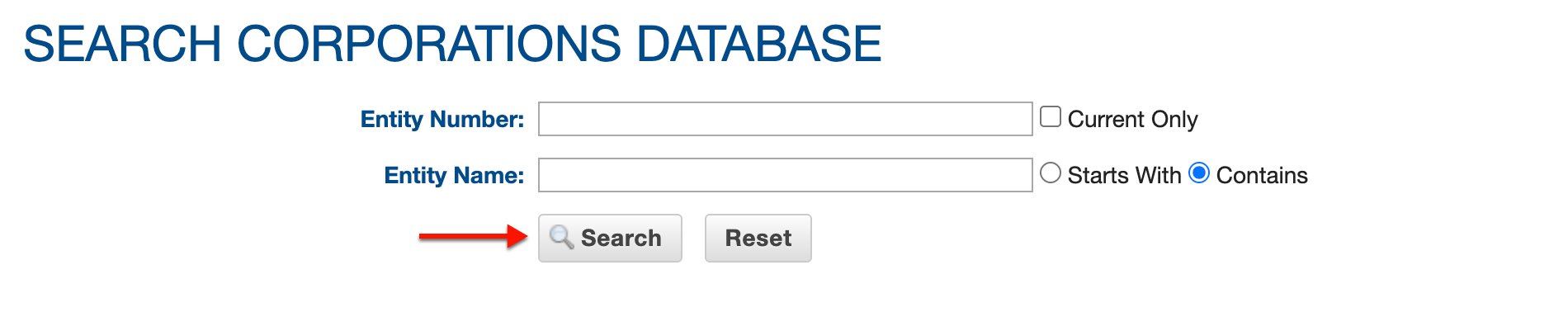
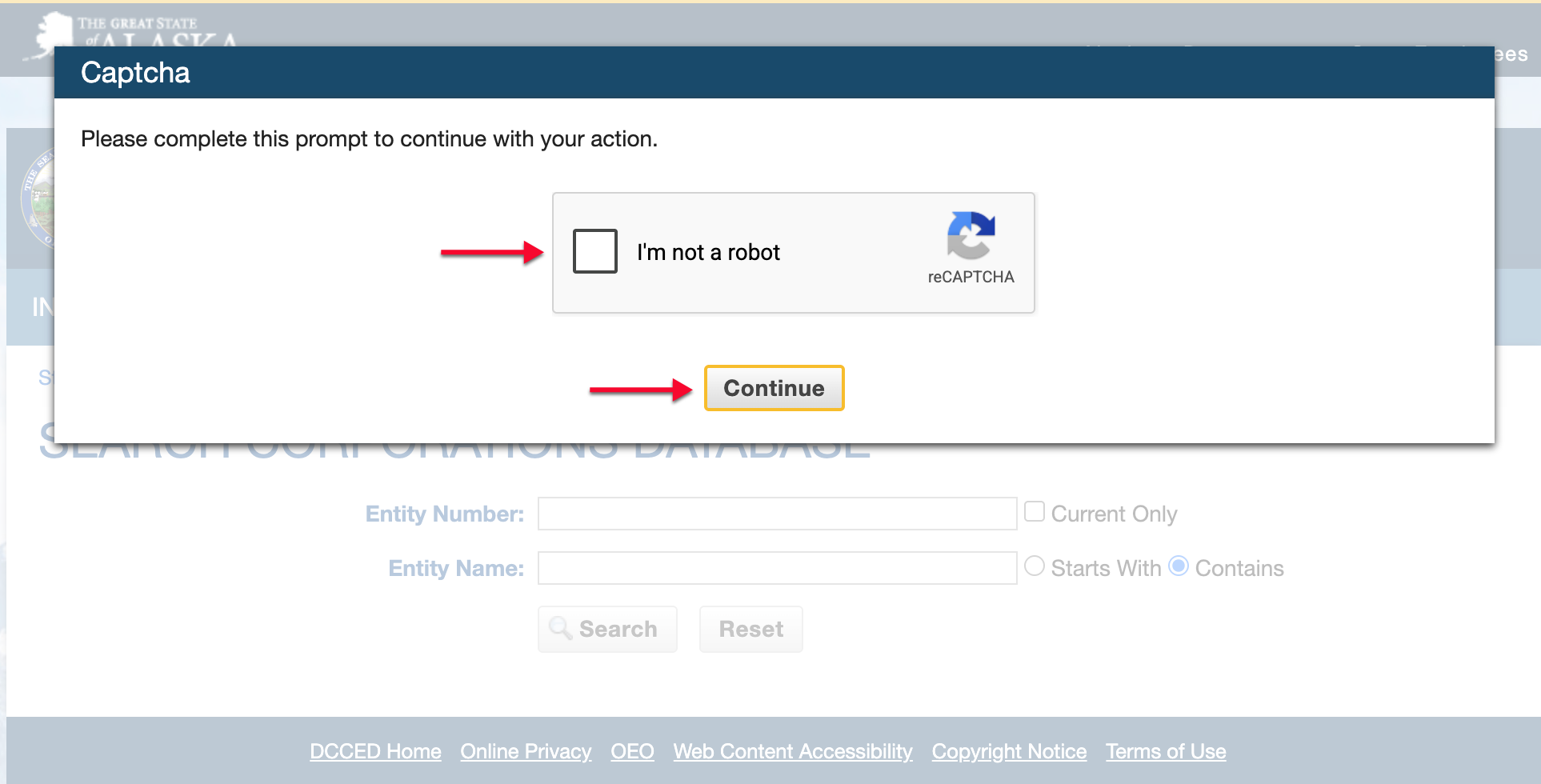
Step 6. Fulfill Security Requirements
Verify your status by completing the “reCAPTCHA” accordingly. This aids the state in maintaining security for all parties.
Step 7. Locate the Entity in the Results
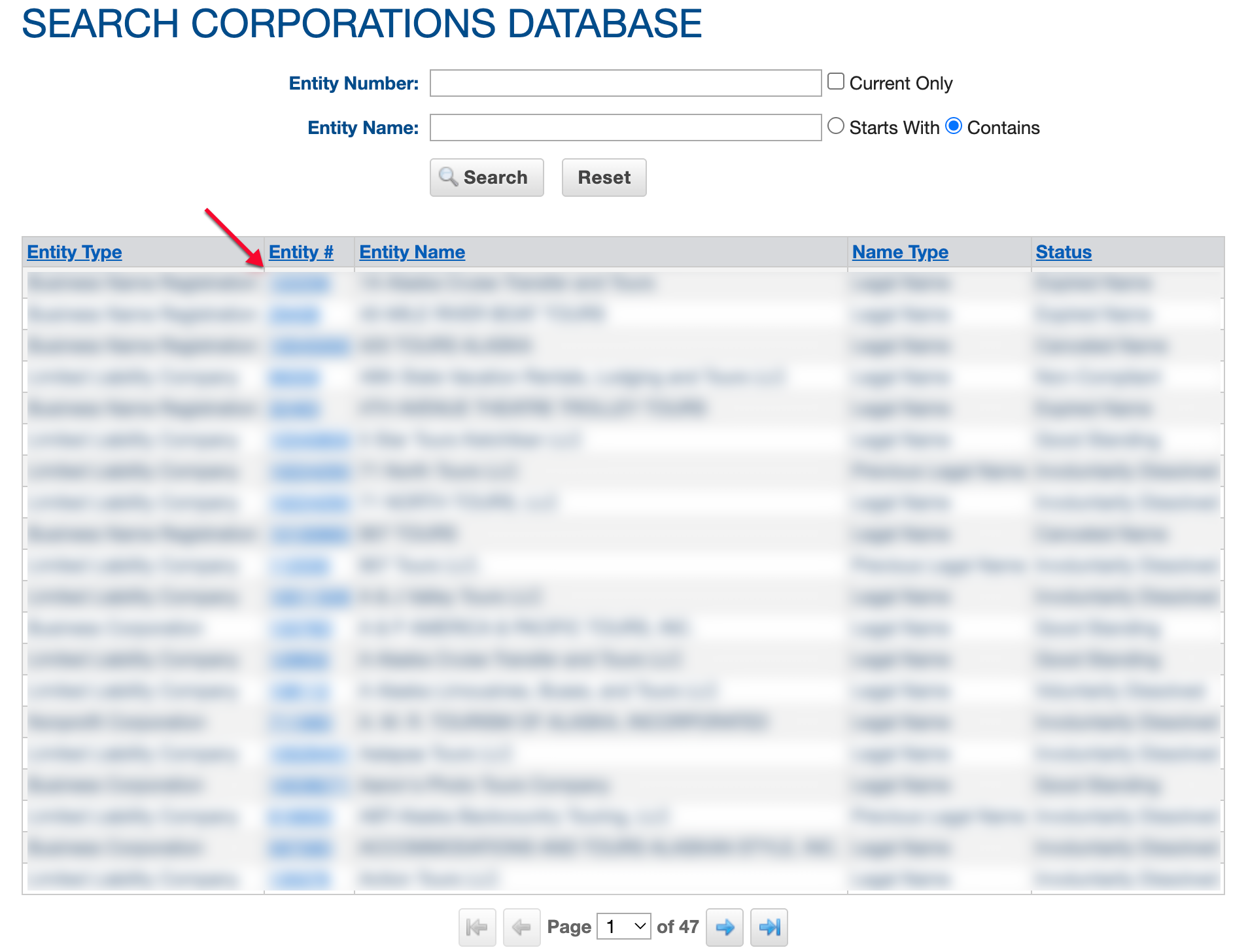
Look over the table displaying the search results. Each column heading allows sorting upon selection. Select the entity number on the same row as the entity name you are investigating in order to see its details.
- Entity Type (see image)
- Entity # (see image)
- Entity Name (see image)
- Name Type (see image)
- Status (see image)
Step 8. Obtain Information From The Details Page
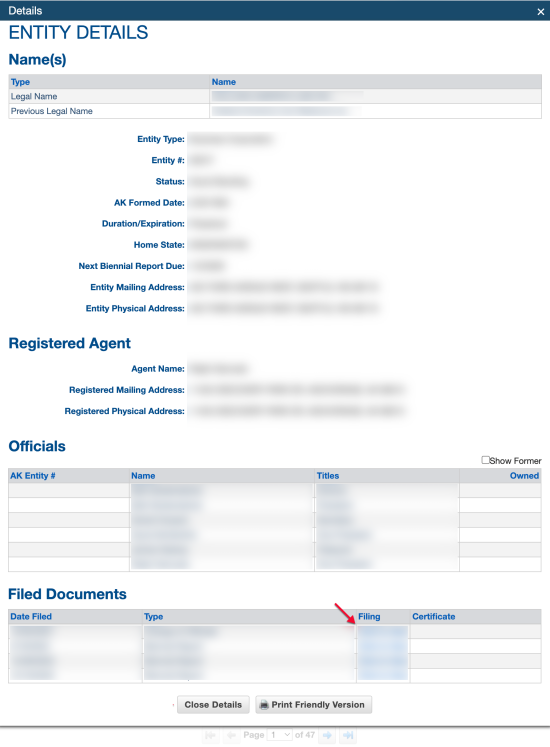
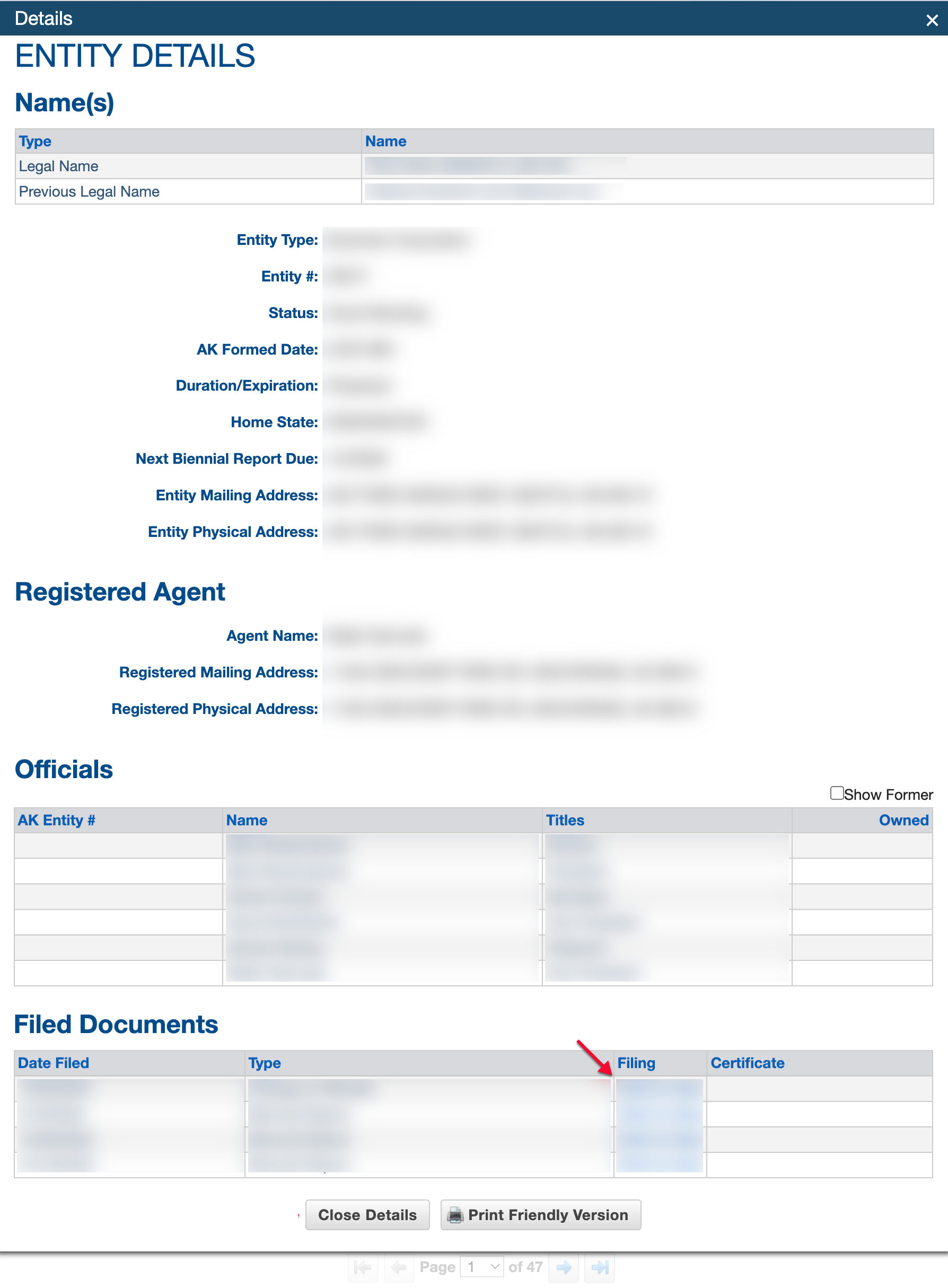
Review the sections of the Entity Details page. This page presents an entity’s public information under distinct sections and, when available, allows onscreen viewings of past paperwork.
- Names
- Type
- Name
- Entity Type
- Entity # AK Formed Date
- Duration/Expiration
- Home State
- Next Biennial Report Due
- Entity Mailing Address
- Entity Physical Address
- Registered Agent
- Agent Name
- Registered Mailing Address
- Registered Physical Address
- Officials
- Show Former (see image)
- AK Entity #
- Name
- Titles
- Owned
- Filed Documents
- Date Filed
- Type
- Filing (some files available as PDF download)
- Certificate (some certificates are available as a PDF file)